Each endpoint keeps a log of the requests Notiondesk sent to it. Use it to see what your server received, why a request failed and when it will be tried again.

Read Recent deliveries
- Go to Settings > Developers > Webhooks.
- Click the endpoint.
- Scroll to Recent deliveries.
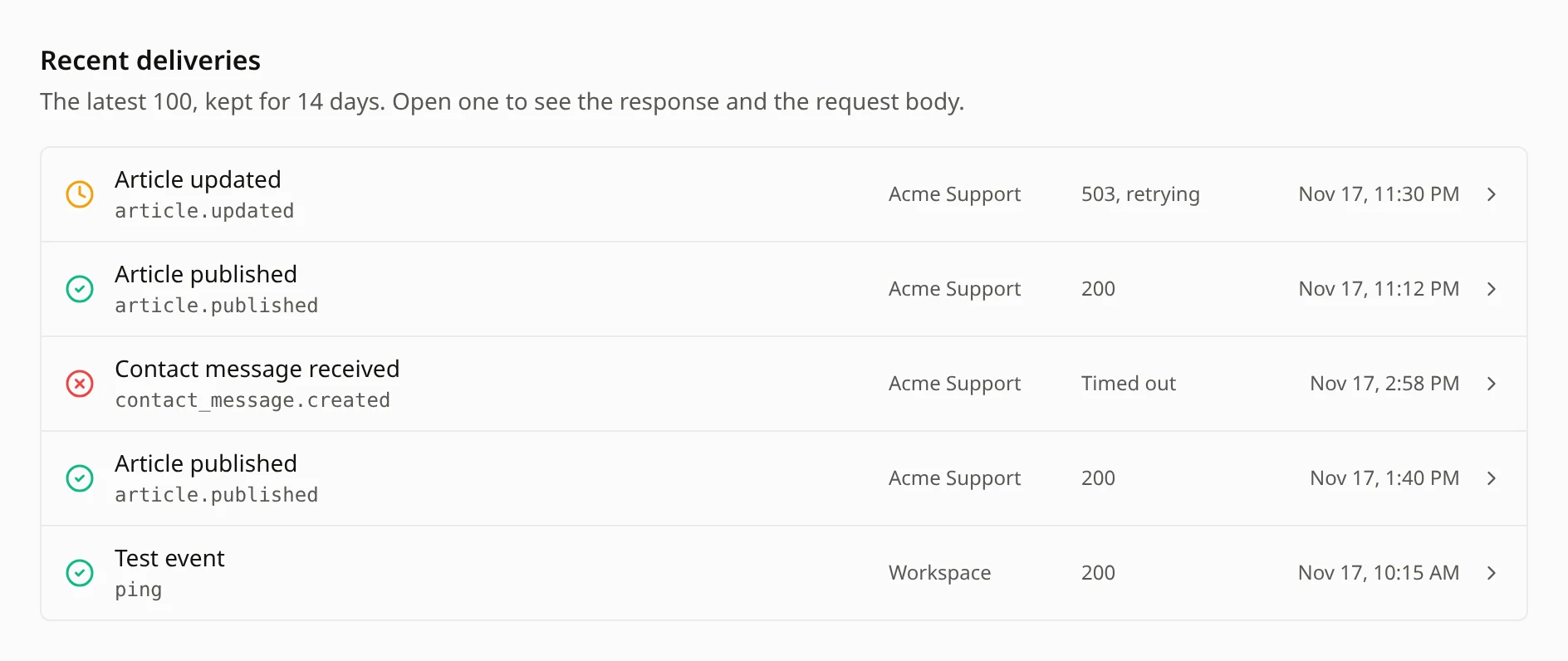
The list shows the latest 100 deliveries from the last 14 days. Each row shows the event, the help center it came from (or Workspace), the result and the time.
| Icon | Status | What it means |
|---|---|---|
| Green check | Delivered | Your server answered with a 2xx status code |
| Orange clock | Pending | Not sent yet, or waiting for its next try. A failed try shows the result followed by retrying, like 503, retrying |
| Red cross | Failed | Every try failed. The row shows the last result |
| Gray minus | Canceled | Not sent because the endpoint was paused or turned off, or its help center could no longer receive events, before the next try |
Open a delivery
Click a row to open it:
- Delivery ID: the same value as the
X-ND-Deliveryheader, so you can find the request in your server's logs.
- Response: the status code or failure reason, how long your server took, and how many tries were made.
- Request body: the exact JSON that was sent. Click Copy to copy it.
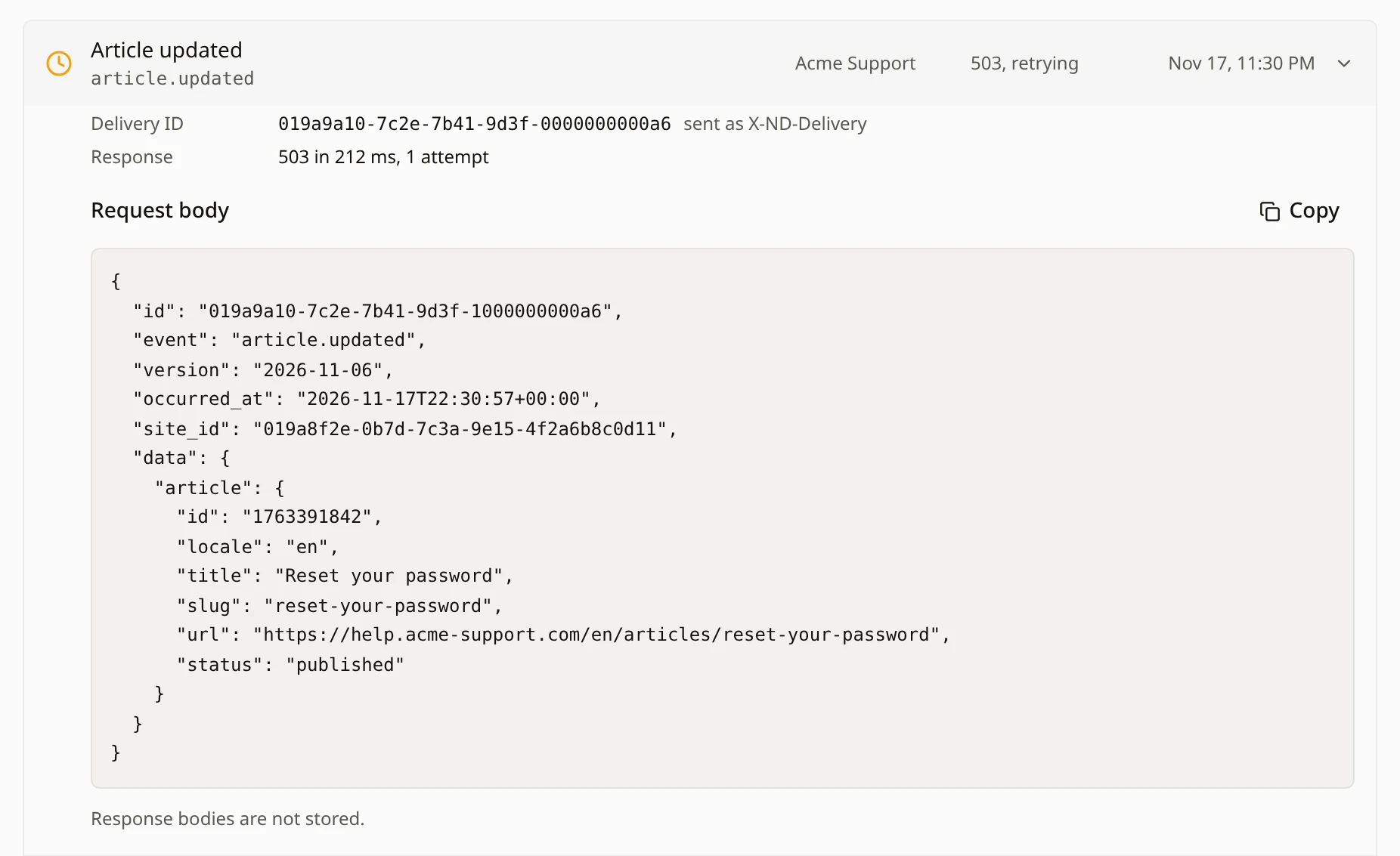
Response bodies are not stored. For events that contain personal data, like contact messages, feedback, teammates and join requests, the request body is removed once the delivery is finished.
Retries
A delivery fails when your server answers with any status code other than 2xx, redirects, doesn't start answering within 5 seconds, or takes more than 10 seconds in total. Notiondesk then tries again:
| Try | When |
|---|---|
| 1 | Right away |
| 2 | 1 minute after the first try |
| 3 | 10 minutes after the second try |
| 4 | 1 hour after the third try |
| 5 | 6 hours after the fourth try |
After 5 failed tries, the delivery is marked Failed. Test events and deliveries marked Signing failed are not retried.
When many events happen at once, for example during a large sync, deliveries can wait before they are sent: usually a few minutes, and up to an hour if your server answers slowly. They stay Pending and are not dropped.
When an endpoint is paused
Notiondesk pauses an endpoint when 10 deliveries in a row have failed after all their tries, and the first of those failures is at least 24 hours old. Test events don't count.
When an endpoint is paused:
- It shows Paused and stops receiving events. Tries that were already planned are canceled.
- The workspace owner and Admins get one email, "Webhook endpoint paused", with the endpoint's name, its host and a link to your webhook settings.
- Events from the paused period are not sent later.
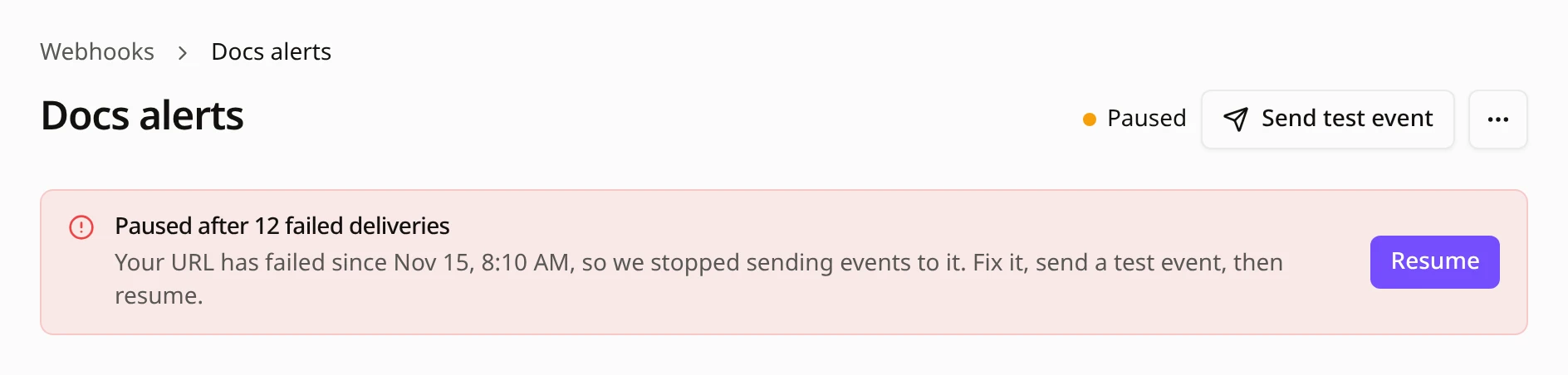
To resume it:
- Fix your server. The failure reasons under Recent deliveries tell you what went wrong.
- Click Send test event and check that it shows as Delivered.
- Click Resume.
The endpoint starts receiving new events again, and its failure count starts over.
If your endpoint is still active but deliveries keep failing, the endpoint page shows Failing since with the date of the first failure, as a warning before it is paused.
Fix failed deliveries
When your server answered, the row shows its status code. Otherwise it shows the reason.
| Reason | What you see | What happened | How to fix it |
|---|---|---|---|
| Error status | The status code, like 500 or 401 | Your server answered with an error | Check your server's logs for that time. Make sure the endpoint accepts POST requests and your signature check uses the right secret |
| Redirect refused | A redirect code, like 301 or 302 | Your server redirected the request | Enter the final URL in the endpoint settings |
| Address blocked | Address blocked | Your domain points to a private or internal address | Point the domain at a public server |
| Connection failed | Connection failed | Notiondesk couldn't reach your server | Check that the domain resolves, the TLS certificate is valid and port 443 or 8443 is open |
| Timed out | Timed out | Your server didn't start answering within 5 seconds, or took more than 10 seconds | Answer with 200 first, then do the work in the background |
| Signing failed | Signing failed | Notiondesk couldn't sign the request | This is on our side and is not retried. Send a test event, and contact us if it happens again |
Send a test event
Click Send test event on the endpoint page to send a ping event to that endpoint. It appears at the top of Recent deliveries.
- A test event is sent once, with no retries.
- You can send it while the endpoint is paused, to check your fix before you resume.
- Each workspace can send up to 20 test events per hour. Over that, you see "Too many test events. Try again later."
Common questions
Can I resend a failed delivery?
No. Open the delivery and click Copy to get the request body if you need to process it yourself.
Why is a delivery's request body missing?
The event contained personal data, so its body was removed when the delivery finished.
How long are deliveries kept?
14 days. Recent deliveries shows the latest 100.
Does a successful test event resume a paused endpoint?
No. It only checks your server. Click Resume to start receiving events again.
What happens to queued events if I delete an endpoint?
They are not sent, and the endpoint's delivery log is deleted with it.