A webhook sends a request to your server each time something happens in Notiondesk, like a new contact message or a published article. Use it to keep your CRM, data warehouse or internal tools up to date without checking Notiondesk yourself.

Before you start
- You are the workspace owner or an Admin. Other roles cannot open the Webhooks page.
- You have a public address on your server that starts with
https://, uses a domain name (not an IP address) and accepts POST requests.
Add an endpoint
- In your Notiondesk dashboard, click Settings.
- Under Workspace, open Developers, then Webhooks.
- Click Add endpoint.
- Enter the URL that should receive the requests, for example
https://hooks.acme-support.com/notiondesk.
- Enter a Name that says what the endpoint is for, for example
CRM sync.
- Under Events, click Add an event and pick the events this endpoint should receive. Type in the search box to find one quickly.
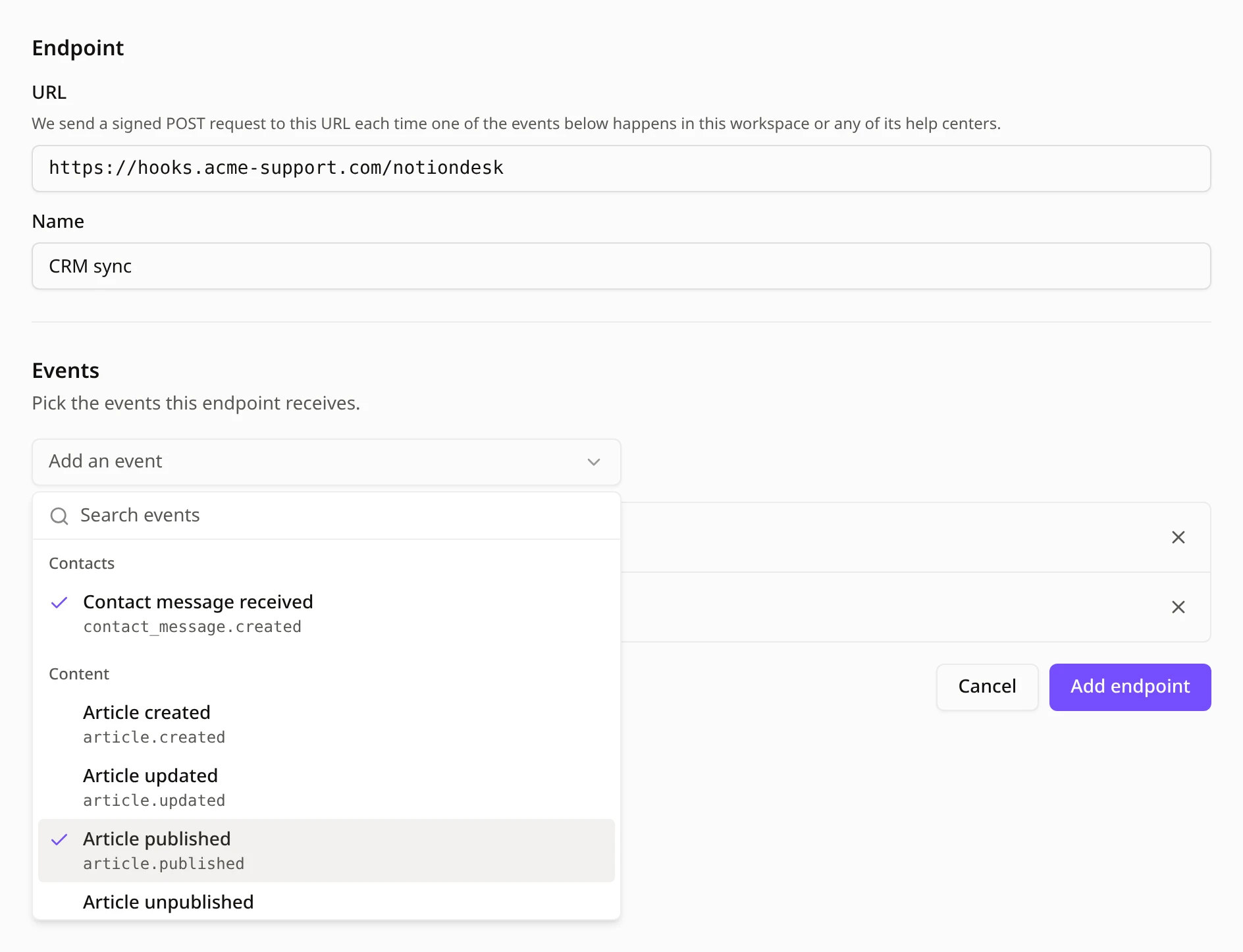
- Click Add endpoint.
One endpoint receives events from your workspace and from every help center in it, so you do not need one per help center. You can add up to 10 endpoints.
Copy the signing secret
Right after you add the endpoint, Notiondesk shows its signing secret. Your server uses it to check that each request really comes from Notiondesk.
- Click Copy.
- Store the secret where your server can read it, like an environment variable or a secret manager.
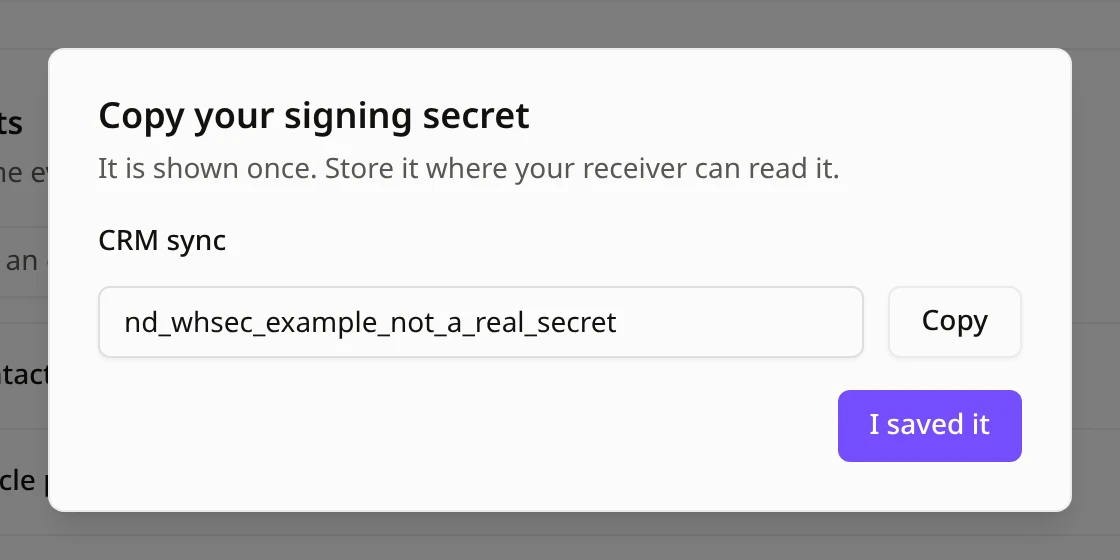
- Click I saved it.

Send a test event
- On the endpoint page, click Send test event.
- Under Recent deliveries, check that the test event shows a green check and the response code
200. This means your server received it.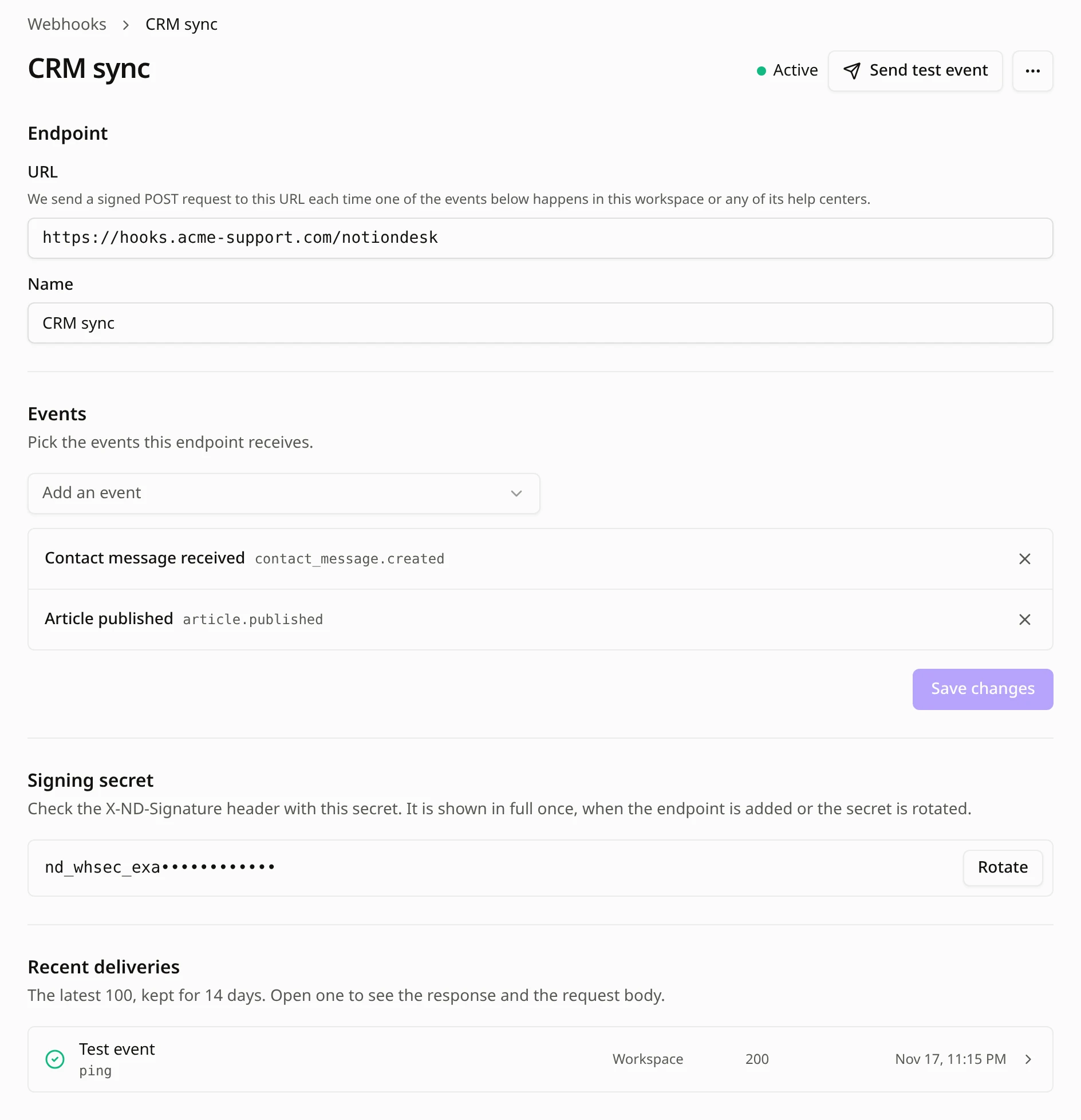
Click a delivery to see your server's response and the request Notiondesk sent. If the test event fails, check that your server answers with a 2xx code within a few seconds.
Common questions
Do I need one endpoint per help center?
No. One endpoint receives events from your workspace and from all its help centers. Recent deliveries shows which help center each event came from.
How many endpoints can I add?
Up to 10 per workspace.
Who can add endpoints?
Only the workspace owner and Admins can add, change and delete endpoints.
Which URLs can I use?
A public address that starts with https:// and uses a domain name. Addresses on your private network and plain IP addresses are refused. Notiondesk does not follow redirects, so enter the final address.
What if I lose the signing secret?
Open the endpoint page and click Rotate under Signing secret. The new secret is shown once and the old one stops working right away, so update your server at the same time.
Can I change the events later?
Yes. Open the endpoint page, add or remove events under Events, then click Save changes.