Automatic AI translation is available starting from the Pro plan. This article explains how character usage is measured and charged.
Every Pro plan includes 250,000 free characters per month, which resets at the start of each billing period.
Price per character
Automatic AI translations are billed based on usage:
- Free: 250,000 characters per month
- $0.04 per additional 1,000 characters
You're only charged for successfully translated content.
What counts as characters
Characters include all translated content:
- Article titles
- Article descriptions
- Article content
- Table of contents
- Collection names and descriptions
Approximately 250,000 characters equals 50,000 English words.
Usage example
In one month, your workspace has used Automatic AI translation as follows:
- 180,000 characters from article translations
- 130,000 characters from collection translations
Total usage: 310,000 characters
- First 250,000 characters: Free
- Remaining 60,000 characters: 60 × $0.04 = $2.40
Your total Automatic AI translation cost for that month would be $2.40.
Billing for translations
Automatic AI translations are billed based on your actual usage. We calculate usage continuously, but charges are finalized monthly. At the end of each month, you are charged for the number of characters translated during that month.
Note: If your Automatic AI translation charges exceed $100 within a single month, we automatically charge that amount as soon as the threshold is crossed. Any remaining usage is charged at the end of the month.
Billing by plan type:
- Monthly subscribers: Usage is invoiced with your monthly subscription renewal
- Yearly subscribers: Usage is invoiced monthly, separate from your yearly plan payment. Free characters still reset monthly.
Track your current usage
Go to Settings → Translation to view the usage card, which shows:
- Characters used in the current billing period
- Progress bar showing usage
- Date your usage resets

Set a monthly character limit
A character limit is a hard cap on how many characters can be translated each billing period.
To enable a limit:
- Go to Settings → Translation
- Toggle Set a monthly limit on
- Enter the maximum characters allowed per month
- Click Save changes
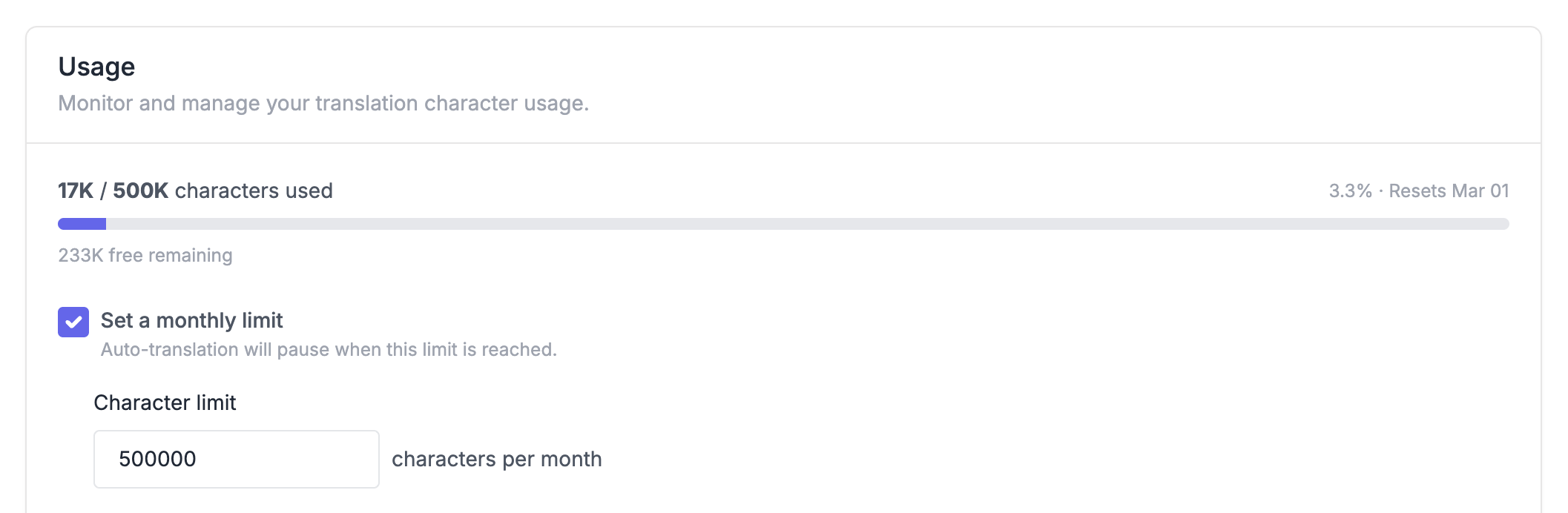
When the limit is reached, new translations pause automatically. Auto-translation will not create new translations during sync. Existing translations remain available to visitors. Usage resets automatically at the start of each billing cycle, and translation resumes on its own.
Tip: Not sure what limit to set? Start with a number slightly above 250,000 if you expect moderate usage. You can always adjust it later.
Configure usage alerts
Usage alerts send email notifications when your character usage hits certain milestones. Unlike limits, alerts don't pause translation, they just keep you informed.
To enable alerts:
- Go to Settings → Translation
- Toggle Usage alert on
- Enter an alert threshold (the character count you want to monitor against)
- Click Save changes
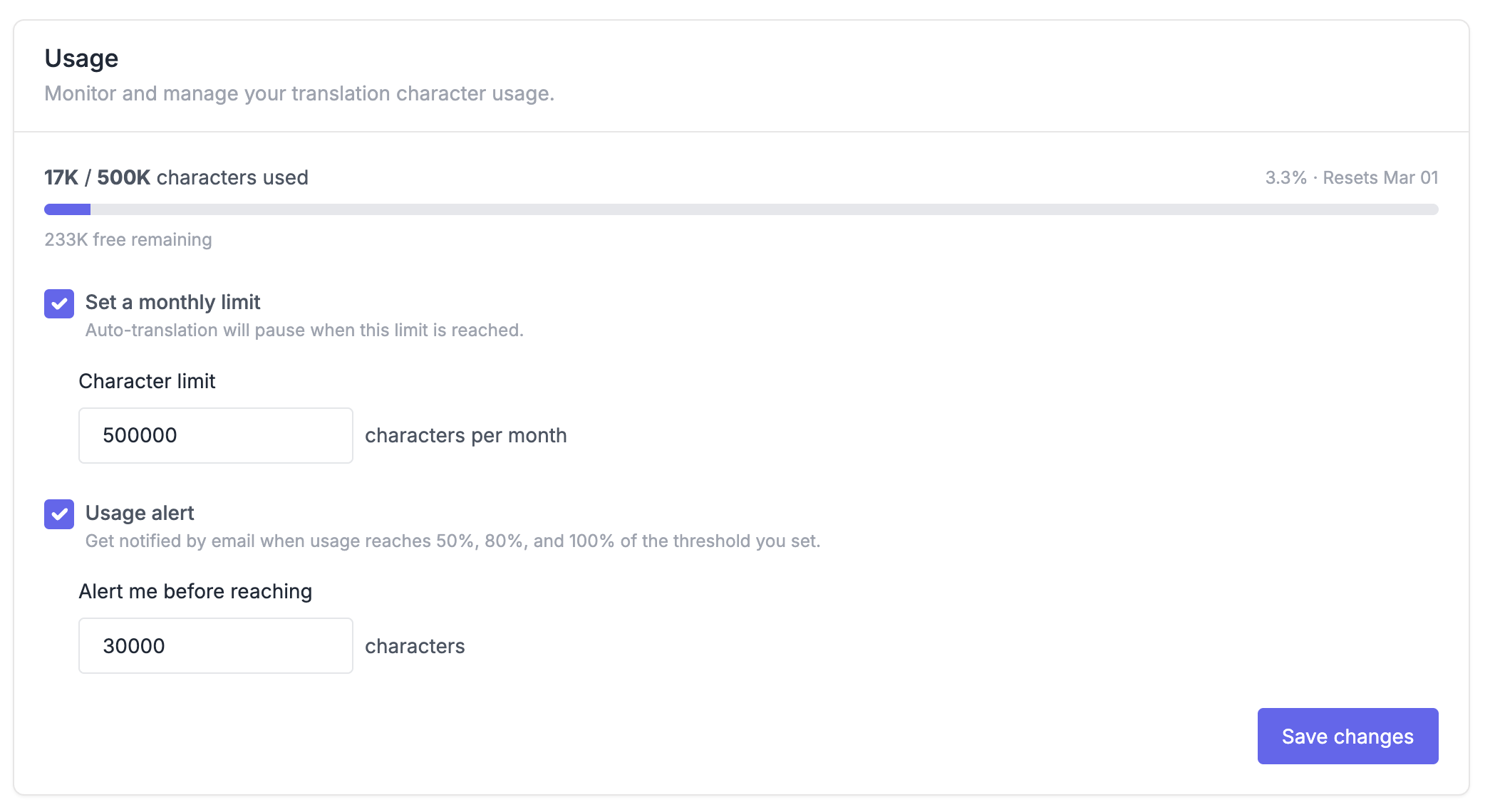
Once enabled, you'll receive email notifications at three milestones: when you reach 50%, 80%, and 100% of your threshold. For example, if your threshold is 500,000, you'll get emails at 250,000, 400,000, and 500,000 characters.
Alerts are sent to the workspace owner's email address and include your current usage, threshold, and remaining characters.