Custom instructions let you add language-specific guidance to control how Automatic AI Translation handles your content. You can provide cultural context, explain industry terminology, or set regional preferences for each language. This helps ensure your automatic translations feel natural and appropriate for each audience, without manual editing.
What are custom instructions for Automatic AI Translation?
Custom instructions provide additional guidelines to Automatic AI Translation for specific target languages. They help the translation system understand:
- How to handle industry-specific terms in each language
- Cultural context for your target audience
- Regional tone preferences for specific markets
- Language variations or local conventions
Instructions apply only to the language you specify, letting you fine-tune Automatic AI Translation for each market without manual intervention.
Add custom instructions
- Go to Settings → Translation
- Find the Custom Instructions section
- Click Add instruction
- Select the target language
- Enter your instruction (2-3 sentences maximum)
- Click Save
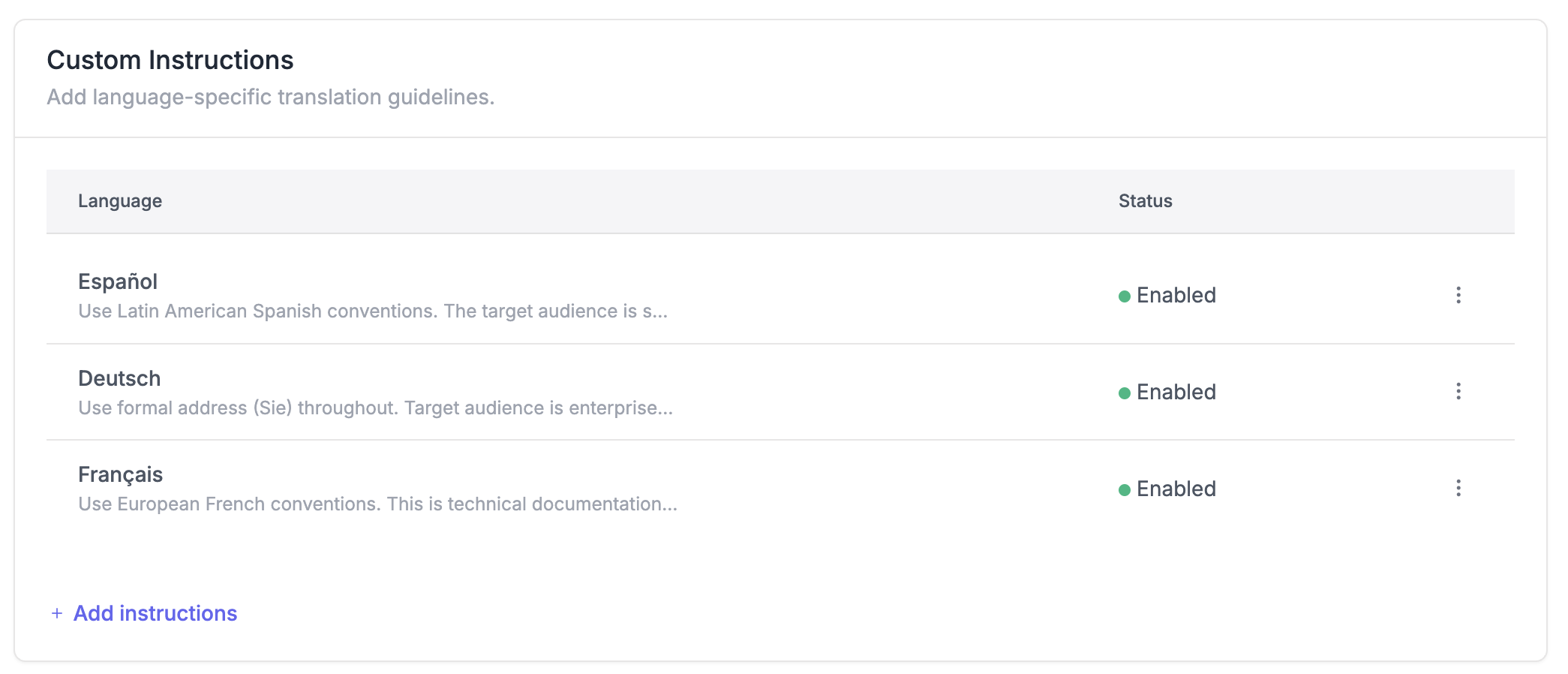
When to use custom instructions with Automatic AI Translation
Regional terminology Guide Automatic AI Translation to use region-specific terms. For example, instruct French translations to use European French rather than Canadian French conventions.
Industry context Explain specialized terms or industry-specific language unique to your business. For example, clarify that "pipeline" refers to a sales process, not plumbing.
Audience considerations Provide context about your target audience for each language. For example, note that your Spanish content targets developers, so technical terms should stay precise rather than simplified.
Cultural preferences Specify cultural nuances for Automatic AI Translation. For example, instruct German translations to use formal "Sie" rather than informal "du" when addressing readers.
Write effective instructions
Be specific Instead of "use formal tone," write "use formal address (Sie) and avoid contractions."
Keep it short Limit instructions to 2-3 sentences. Focus on the most important guidance for that language.
Explain specialized terms If your content uses unique terminology, briefly explain what it means. For example: "Dashboard refers to our analytics overview page, not a car component."
Focus on one instruction per language Each language gets one instruction field. Make it count by including only the most critical guidance.
Edit or remove instructions
Edit an instruction
- Go to Settings → Translation
- Find the language in the Custom Instructions list
- Click Edit
- Update the instruction text
- Click Save changes
Remove an instruction
- Find the language in the Custom Instructions list
- Click Delete
- Confirm removal
Changes apply to new Automatic AI Translations only. Existing translations are not automatically updated when you modify or remove custom instructions.
Best practices for custom instructions
Start with your main markets Add custom instructions for languages where you have significant traffic or customers. Focus on the 2-3 languages that matter most to your Automatic AI Translation needs.
Test the translation results After adding instructions, translate a sample article and verify Automatic AI Translation is following your guidance. Adjust instructions if needed.
Keep instructions stable Avoid changing instructions frequently. Consistency helps Automatic AI Translation maintain uniform output across your help center.
Combine with translation glossary Use custom instructions for general language guidance and the translation glossary for specific terms. Together, they give you fine-grained control over Automatic AI Translation.
Don't over-specify Trust Automatic AI Translation to handle basic language conventions. Focus custom instructions on unique aspects of your content or audience that require special handling.