Magic link access lets you share a direct URL that gives visitors instant access to your password-protected help center. It's useful when you want to share your private help center with partners, clients, or team members without revealing the actual password or creating individual accounts.
What is magic link access?
With Notiondesk magic link access, you generate a unique URL and share it directly. Anyone who clicks it lands on your help center immediately, without being asked for a password or to create an account. Unlike password protection where you share a password, or guest accounts where each user needs individual credentials, Notiondesk magic link access gives anyone with the URL direct access to your help center.
Enable magic link access
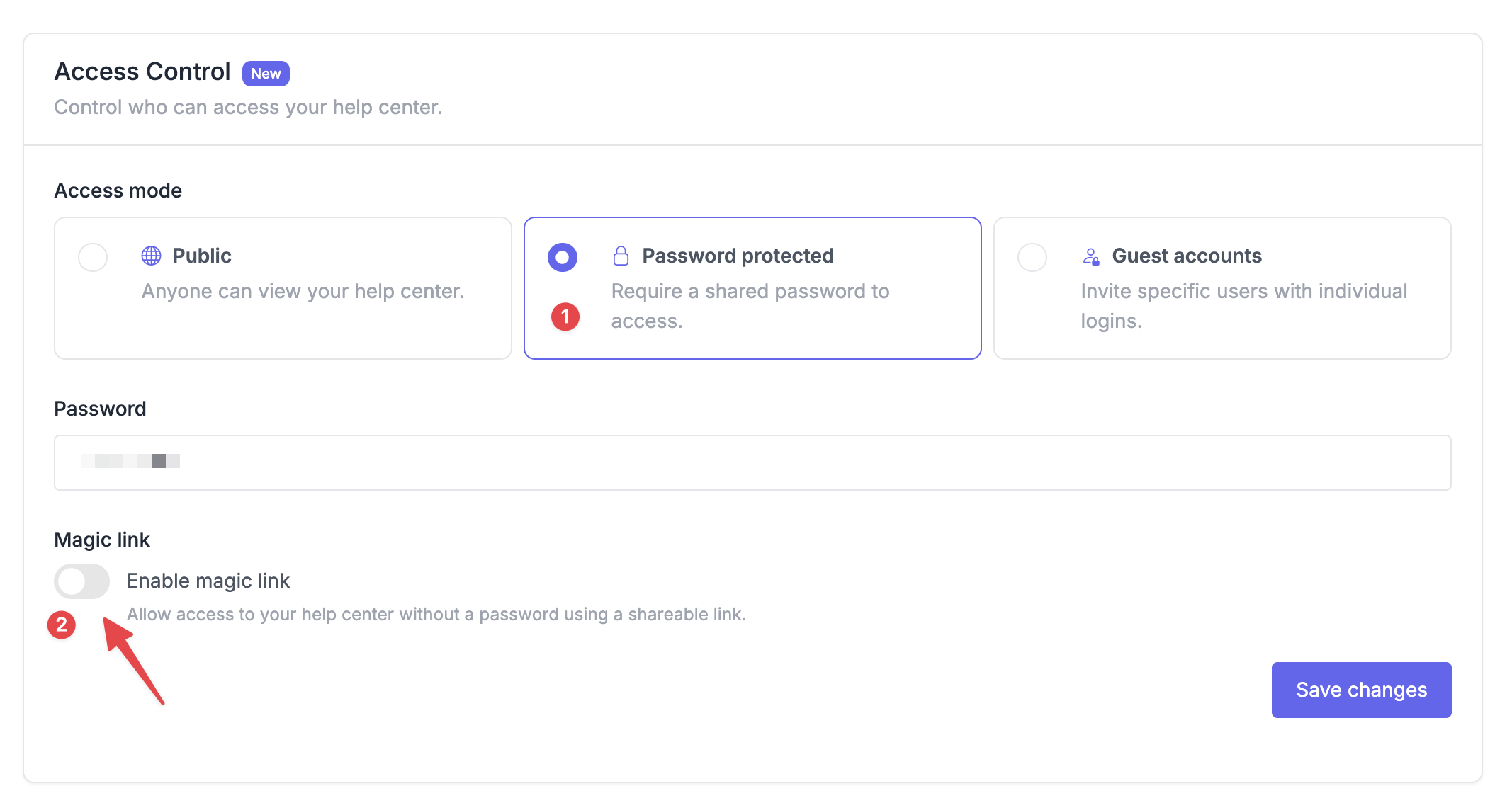
- Go to Settings > General
- Scroll to the Access Control section
- Select Password protected as the access mode
- Enter a shared password for your help center
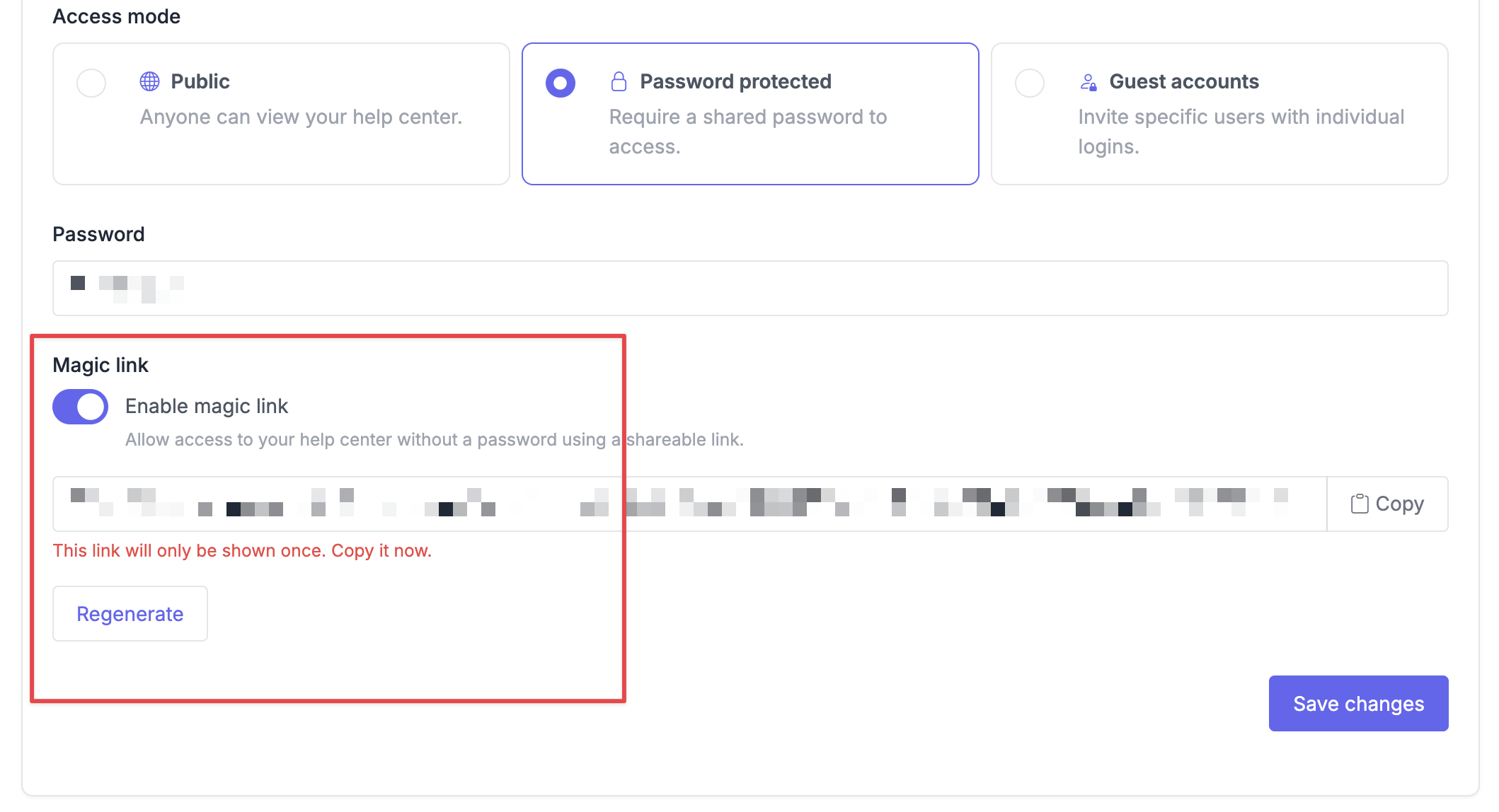
- Toggle Enable magic link on
- Click Copy to copy the URL to your clipboard

Share the magic link
Send the link through any channel that works for your workflow:
- Email it to a partner or client
- Post it in a Slack channel
- Include it in an onboarding email or welcome sequence
- Add it to an internal wiki or portal
Visitors who click the link land directly on your help center, no signup, no password prompt.
Revoke access
Disable the magic link entirely:
- Go to Settings > General > Access Control
- Toggle Enable magic link off
All active access is removed immediately. Anyone with the old link can no longer reach your help center.
Regenerate the link (revoke old, issue new):
- Click Regenerate next to the magic link URL
- Confirm in the dialog, this invalidates the current link immediately
- Copy the new URL and share it with the people who should still have access