You can use Caddy to serve your Notiondesk help center from a subpath of your main domain.
For example, instead of using a subdomain like help.yourdomain.com, you can make your help center available from:
yourdomain.com/help
yourdomain.com/docs
yourdomain.com/support
This setup is useful if your main website is hosted on a server where Caddy is already used as the web server or reverse proxy.
Before you start
Before setting up subpath hosting with Caddy, make sure you have:
- Access to your server
- Access to your Caddyfile
- A subpath you want to use for your help center, such as:
/help
/docs
/support
You should also make sure your main website is already working correctly before adding the Notiondesk subpath configuration.
Enable subpath hosting in Notiondesk
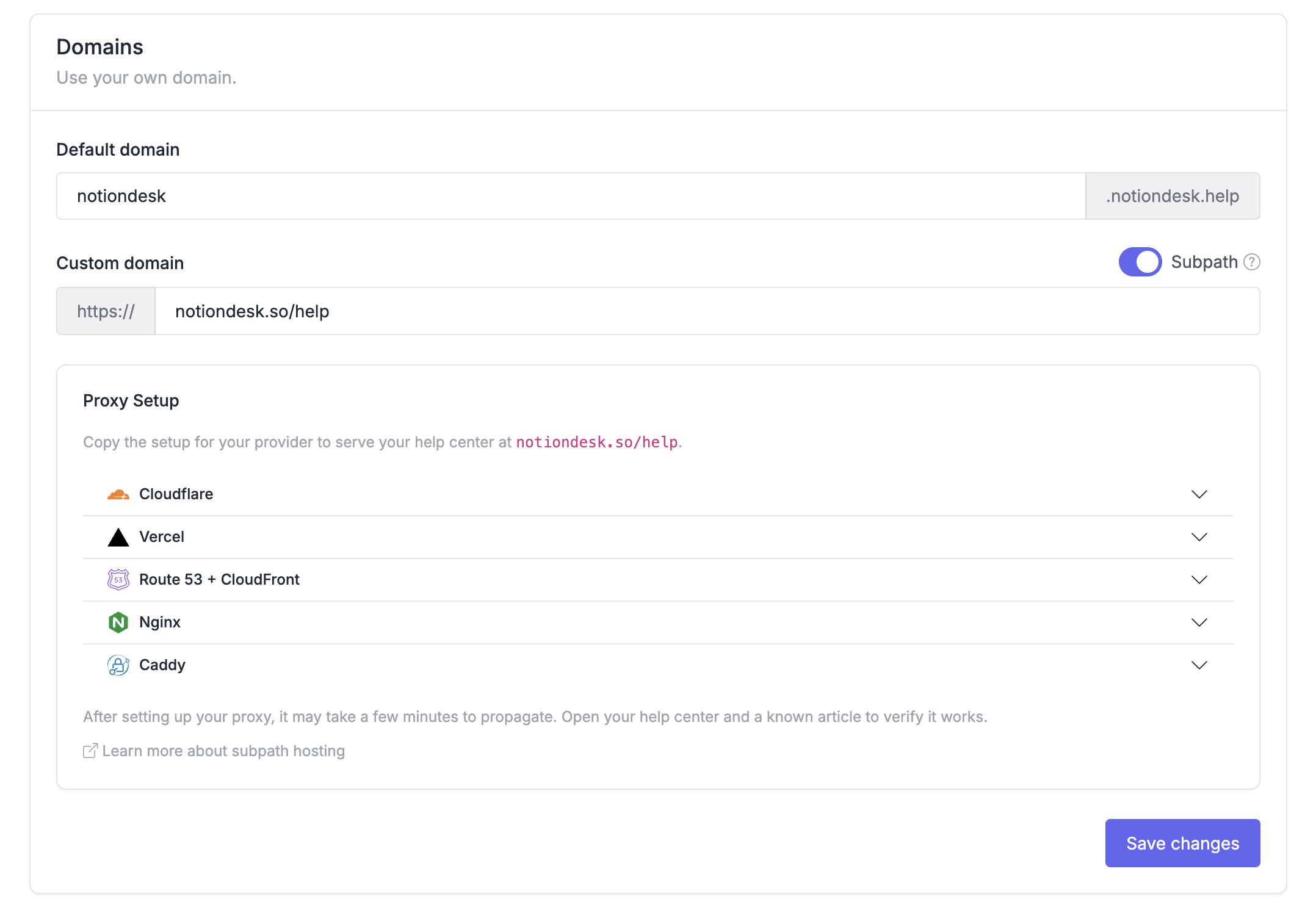
First, enable subpath hosting from your Notiondesk dashboard.
- Open your Notiondesk dashboard
- Go to
Settings > General
- Scroll to the
Domainssection
- Enable the
Subpathswitch
- Save changes
- Copy the generated Caddy configuration
Notiondesk generates a Caddy configuration with the correct values for your help center. You will need to add this configuration to your Caddyfile in the next step.
Add the Caddy configuration
After copying the configuration from Notiondesk, add it to your Caddyfile.
Open the Caddy site block that handles your main website domain.
For example:
yourdomain.com {
    # Your main website configuration
}
Add the generated Notiondesk route inside this site block.
The configuration should handle:
- Your selected help center subpath, such as
/help
- Nested help center pages, such as
/help/*
- Notiondesk internal routes, such as
/_nd/*
Every other path should continue to be handled by your main website.
For example, if your help center uses /help, only /help, /help/*, and /_nd/* should be proxied to Notiondesk.
Caddy reverse proxy example
Here is an example Caddy configuration for a help center served from /help.
route {
    @subpath path /help /help/*
    handle @subpath {
        reverse_proxy your-help-center.notiondesk.help:443 {
            header_up Host {http.request.host}
            header_up X-Forwarded-Host {http.request.host}
            header_up X-Forwarded-Proto https
            header_up X-Site-Path-Prefix /help
            transport http {
                tls
                tls_server_name your-help-center.notiondesk.help
            }
        }
    }

    handle /_nd/* {
        reverse_proxy your-help-center.notiondesk.help:443 {
            header_up Host {http.request.host}
            header_up X-Forwarded-Host {http.request.host}
            header_up X-Forwarded-Proto https
            transport http {
                tls
                tls_server_name your-help-center.notiondesk.help
            }
        }
    }

    # Let your main app handle every other path.
}
You should copy the generated configuration from your own Notiondesk dashboard. The help center domain, subpath, and proxy values are specific to your setup.
Reload Caddy
After adding the configuration to your Caddyfile, reload Caddy to apply the changes.
The exact command depends on your server setup. If Caddy is managed with systemd, you can usually reload it with:
sudo systemctl reload caddyBefore reloading, you can also validate your Caddyfile:
caddy validateIf the validation passes, reload Caddy and test your help center subpath.
Verify your setup
After reloading Caddy, open your help center subpath in your browser.
Then test a few pages to make sure everything works correctly:
- Open the help center homepage
- Open a known article page
- Open your main website homepage