Reviewing chatbot conversations helps you understand how visitors interact with your help center and whether the chatbot is providing useful answers. You can see what questions people ask, how the chatbot responds, which articles it references, and where it struggles.
Use this information to improve your help content, refine your guidances, and identify gaps in your documentation.
Access chatbot conversations
To view conversations, go to AI Chatbot → Conversations in your Notiondesk dashboard.
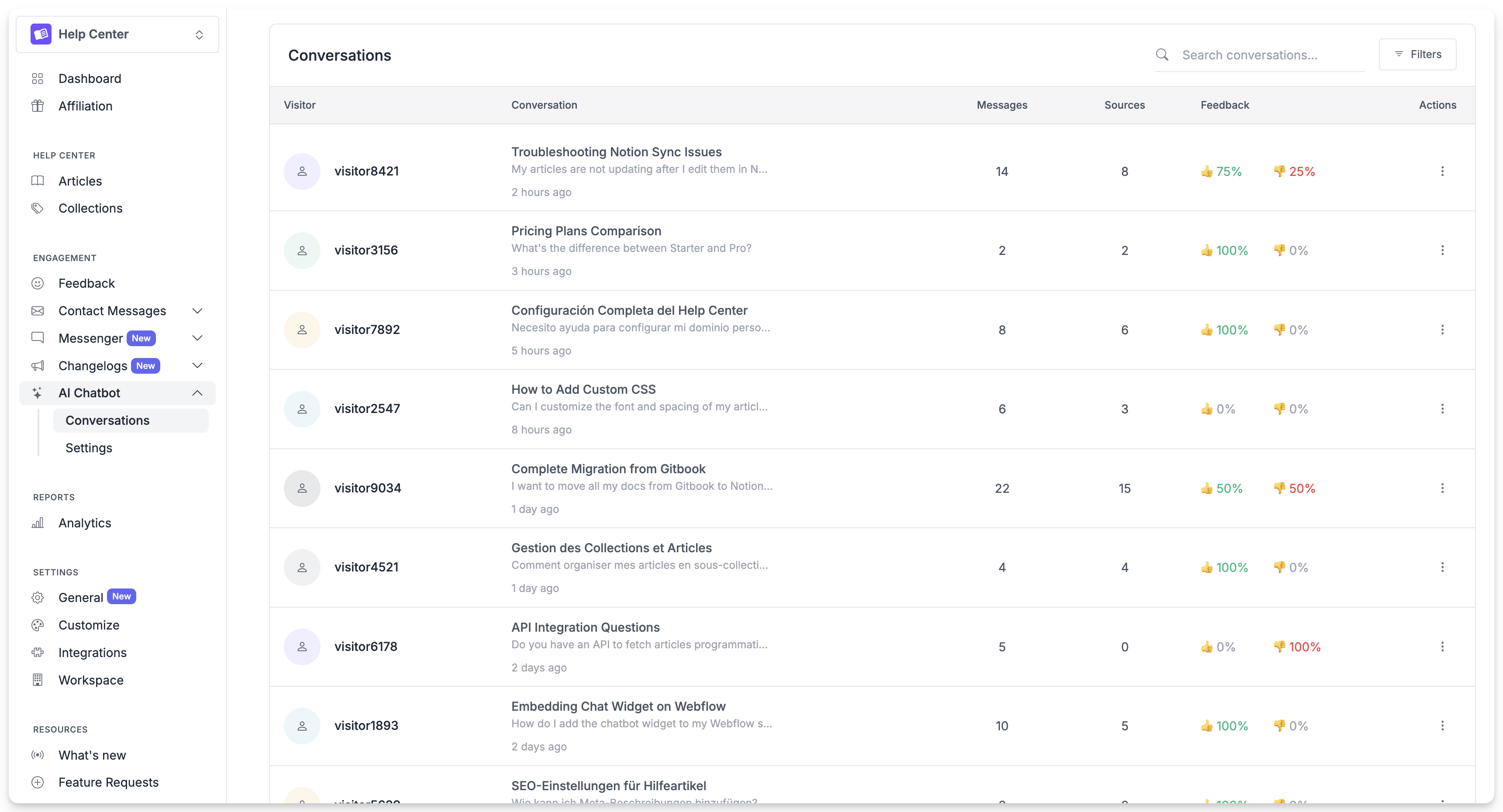
Each row shows a conversation with the visitor's first message, the date, and the resolution status. Click any conversation to see the full exchange.
Understand conversation details
When you open a conversation, you see the complete back-and-forth between the visitor and the chatbot.
Each chatbot response includes:
The answer: What the chatbot told the visitor.
Sources used: Which help center articles the chatbot referenced to generate its answer. This helps you verify the chatbot is pulling from the right content.
Filter and search conversations
Use filters to find specific types of conversations.
By date: View conversations from a specific time period. Useful for checking performance after making changes to your help content or guidances.
By resolution status: Filter to see only resolved conversations, only handoffs, or only abandoned sessions. This helps identify patterns in what the chatbot handles well versus where it struggles.
By search term: Search for conversations containing specific words or phrases. Use this to find conversations about a particular topic or feature.
Identify improvement opportunities
Regular conversation review reveals patterns you can act on.
Questions without good answers
If the chatbot frequently says it doesn't have information on a topic, that's a signal to create or update an article. Check which questions lead to "I don't have information about that" responses and add that content to your help center.
Repeated handoffs on the same topic
When visitors consistently ask to speak with a human about the same issue, the chatbot's answer may not be satisfying them. Review those conversations to understand what's missing, maybe the article needs more detail, clearer steps, or a different approach.
Misunderstood questions
Sometimes the chatbot interprets a question differently than intended and provides an irrelevant answer. These conversations highlight where you might need a guidance to clarify terminology or ask a follow-up question before answering.
Successful patterns
Pay attention to conversations that go well too. When the chatbot resolves a complex question effectively, note which articles and guidances contributed. This helps you replicate that success for similar topics.
Take action on insights
After identifying patterns, take steps to improve.
Update articles: If conversations reveal missing information, add it to the relevant article. If an article is confusing visitors, rewrite it for clarity.
Add guidances: If the chatbot mishandles specific situations, create a guidance to address it. For example, if visitors often ask about refunds without specifying which product, add a guidance to ask for that detail first.
Adjust tone settings: If conversations feel too formal or too casual for your audience, revisit your tone of voice settings.
Sync your content: After making changes to your help articles, sync your help center so the chatbot uses the updated information.