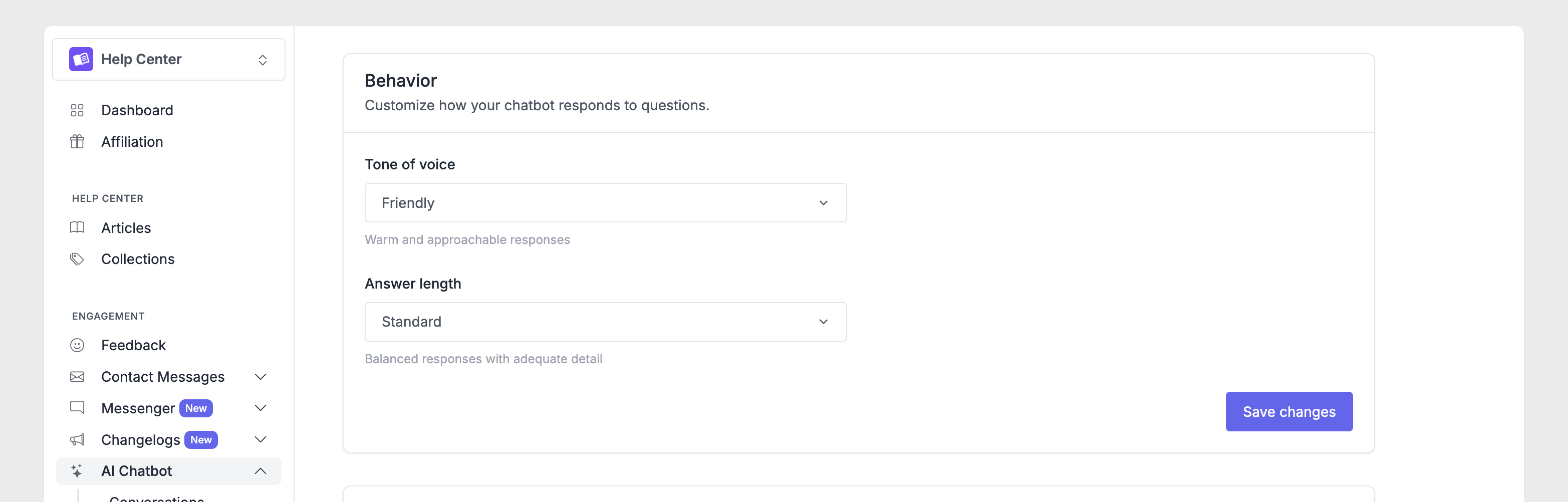
Your AI Chatbot should sound like part of your team. With personality settings, you can control how the chatbot communicates, from the name visitors see to the tone it uses and how detailed its answers are. To customize these settings, go to AI Chatbot → Settings in your dashboard. Changes apply to new conversations after you save.
Chatbot name
The chatbot name appears in the chat interface when visitors interact with AI Search. By default, it's called "AI Chatbot," but you can change it to something that fits your brand.
To set a custom name, find the Name field in the General section, enter your preferred name, and click Save.
Tone of voice
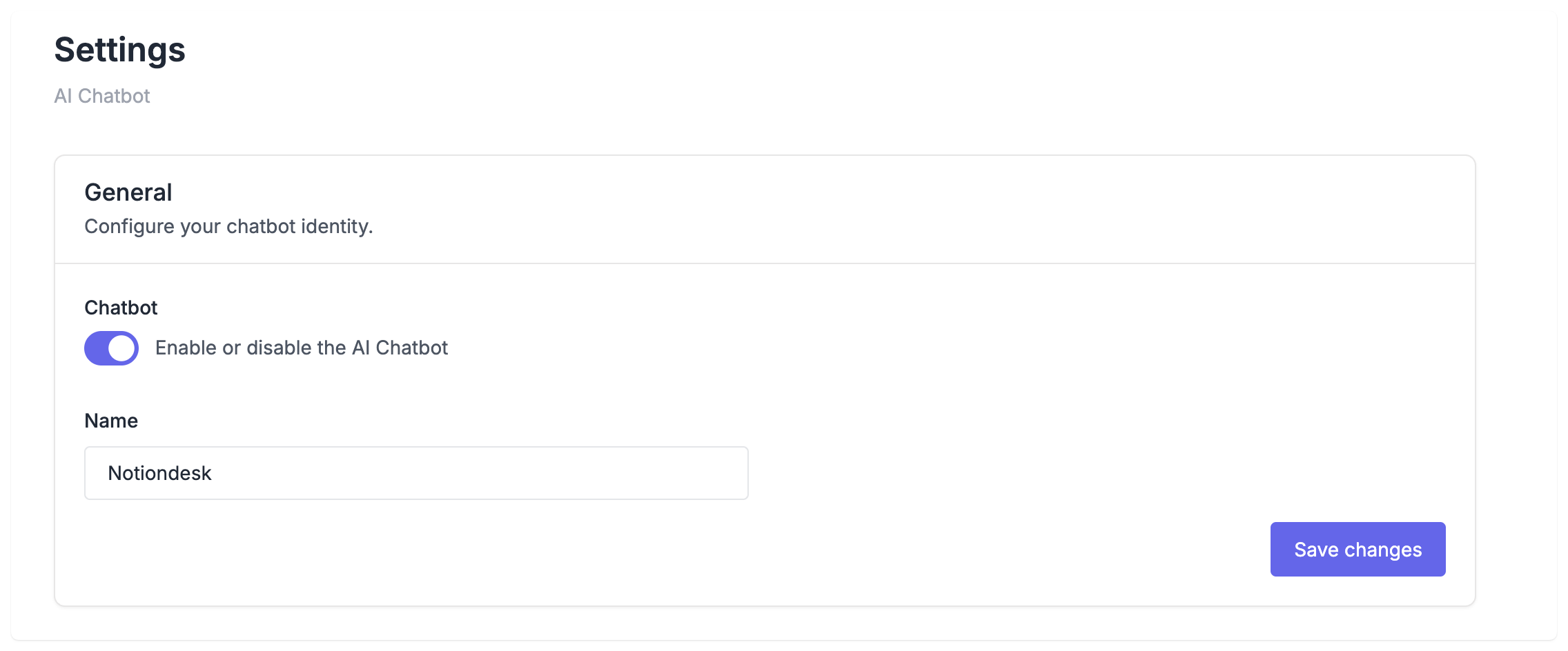
The tone of voice shapes how your chatbot communicates. It affects word choice, sentence structure, and the overall feel of responses.
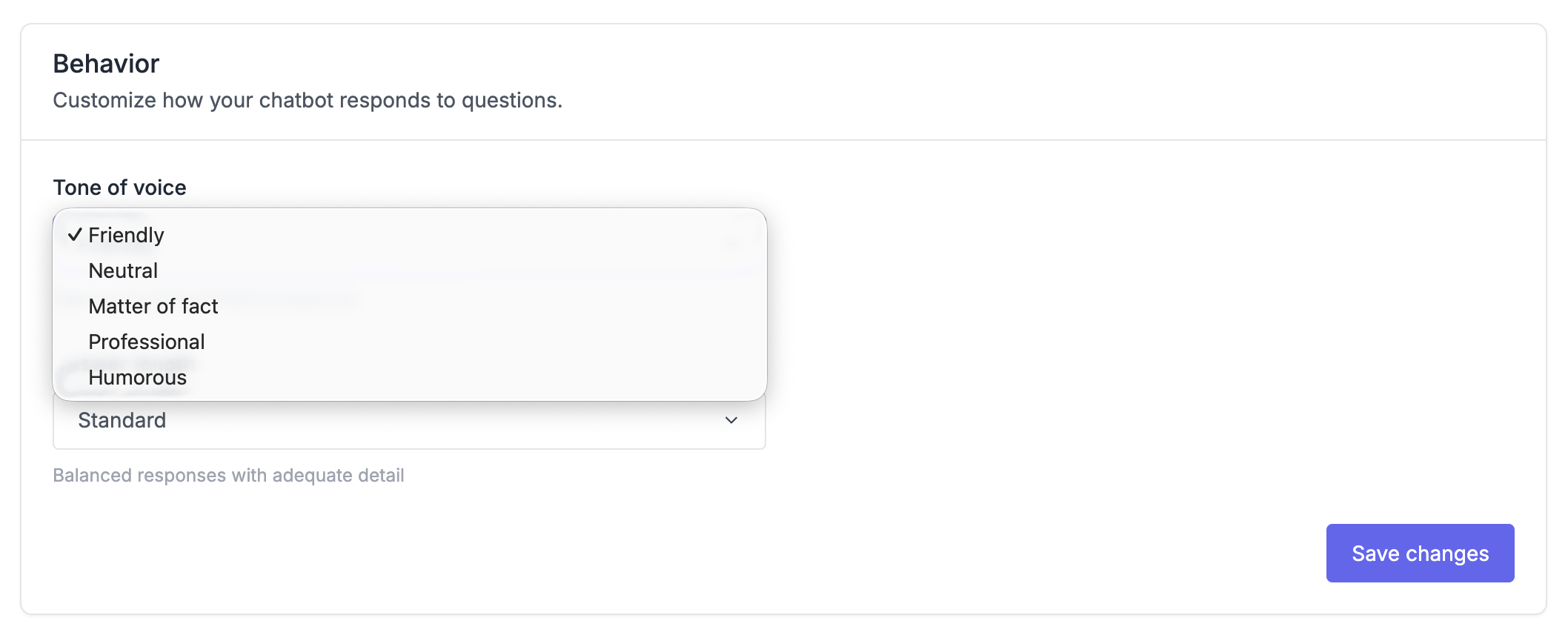
You'll see the following tone options:
- Friendly: Warm, conversational language. It's approachable and casual, ideal for consumer products, startups, or brands that want to feel personable.
- Neutral: Strikes a balance between formal and casual. It works well for mixed audiences or when you're unsure which direction to take.
- Matter of Fact: Direct and to-the-point. It skips pleasantries and gets straight to the answer, perfect for developer documentation or technical tools where users want efficiency.
- Professional: Formal, business-like language. It's polished and appropriate for B2B products, enterprise software, or financial services.
- Humorous: Add personality and playfulness. It works for creative tools, gaming companies, or brands with a fun identity, but can feel out of place for serious topics.
How tone affects responses?
Here's how the same question: "How do I add a custom domain?", might be answered in different tones:
Friendly:
"Great question! You can add a custom domain in your settings. Head to Settings → General, and you'll find the custom domain field right there. Let me know if you need help!"
Professional:
"To configure a custom domain, navigate to Settings → General. Enter your domain in the designated field and save your changes. Refer to our domain setup guide for DNS configuration details."
Matter of Fact:
"Go to Settings → General. Enter your custom domain and save. You'll need to add a CNAME record with your DNS provider."

Answer length
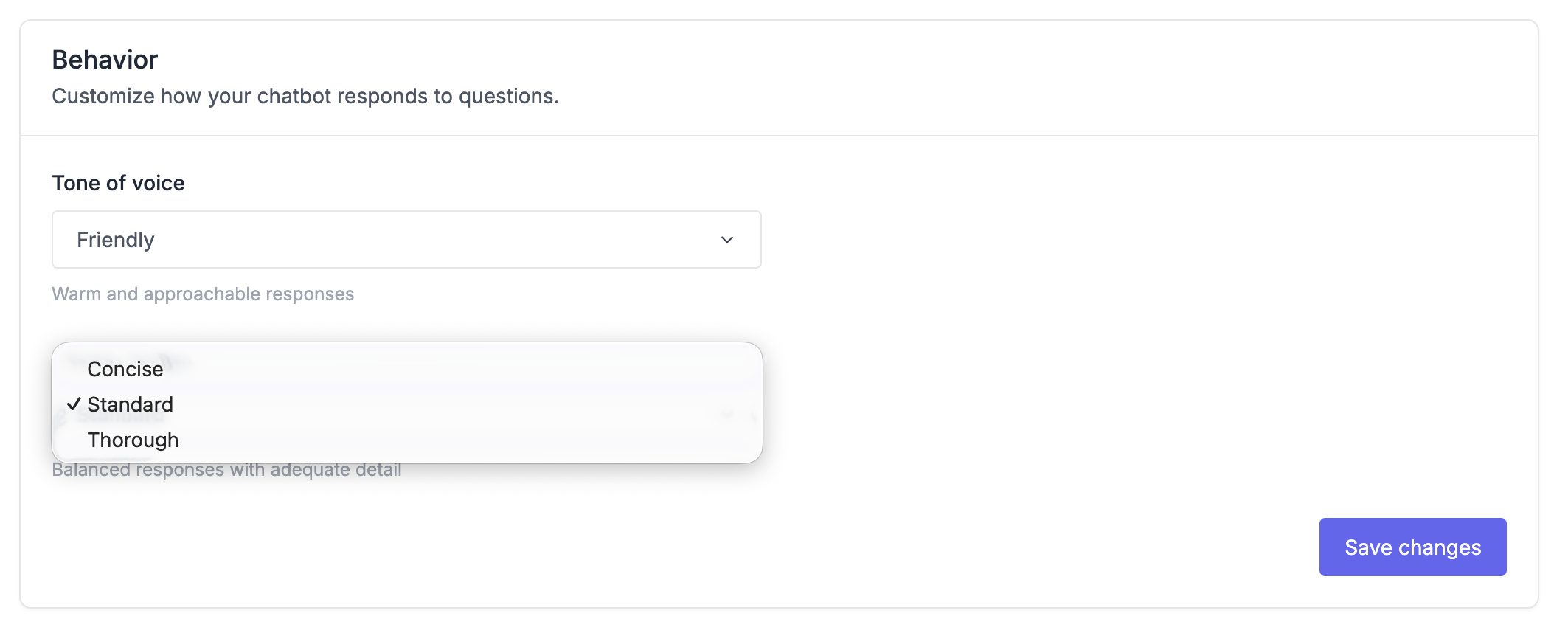
Answer length controls how much detail the chatbot includes in its responses. Some visitors want quick answers; others need thorough explanations.
- Concise keeps answers short and focused. Only essential information is included. This works well for simple FAQs or mobile users who want fast answers.
- Standard provides balanced detail with context and next steps. It's the recommended default for most help centers.
- Thorough gives comprehensive responses with full explanations. Use this for complex products, technical documentation, or onboarding content where users need more guidance.
How length affects responses
Here's how "How do I add password protection?" might be answered at each length:
Concise:
"Go to Settings → General → Private Help Center, select Password, enter your password, and save."
Standard:
"You can add password protection to restrict access to your help center. Go to Settings → General, find the Private Help Center section, select Password, and enter the password you want visitors to use. Click Save to apply."
Thorough:
"Password protection lets you restrict your help center to authorized users only. Here's how to set it up: Go to Settings → General in your dashboard, scroll to the Private Help Center section, and select Password from the options. Enter the password you want visitors to use and click Save. Once enabled, visitors will see a password prompt before accessing any content. Share this password with your team or customers who should have access. You can change or remove the password at any time from the same settings page."
Recommended settings
The best personality settings depend on your product and audience.
Here are some starting points:
For a SaaS product with mixed users, try Friendly tone with Standard length. It's approachable without being too casual, and provides enough detail without overwhelming.
For developer documentation, Matter of Fact with Thorough length often works best. Developers appreciate directness and want complete information.
For enterprise B2B software, Professional tone with Standard length matches corporate communication expectations.
For a consumer mobile app, Friendly tone with Concise length delivers quick, helpful answers for users on the go.
These are starting points, not rules. Test different combinations and see what resonates with your visitors.
Guidances
Tone, length, and name give you a solid foundation, but sometimes you need more control. That's where guidances come in.
Guidances are custom instructions that tailor your chatbot's behavior. They train your chatbot to deliver accurate answers and follow your communication style in specific situations.
For example, you might create guidances to:
- Use specific terminology your company prefers (like "workspace" instead of "account")
- Always recommend a particular article when visitors ask about pricing
- Ask clarifying questions before answering certain types of queries
- Avoid mentioning features that are deprecated or not yet launched
You write them in plain language, no technical syntax required. The chatbot evaluates them during every conversation and applies whichever ones are relevant.
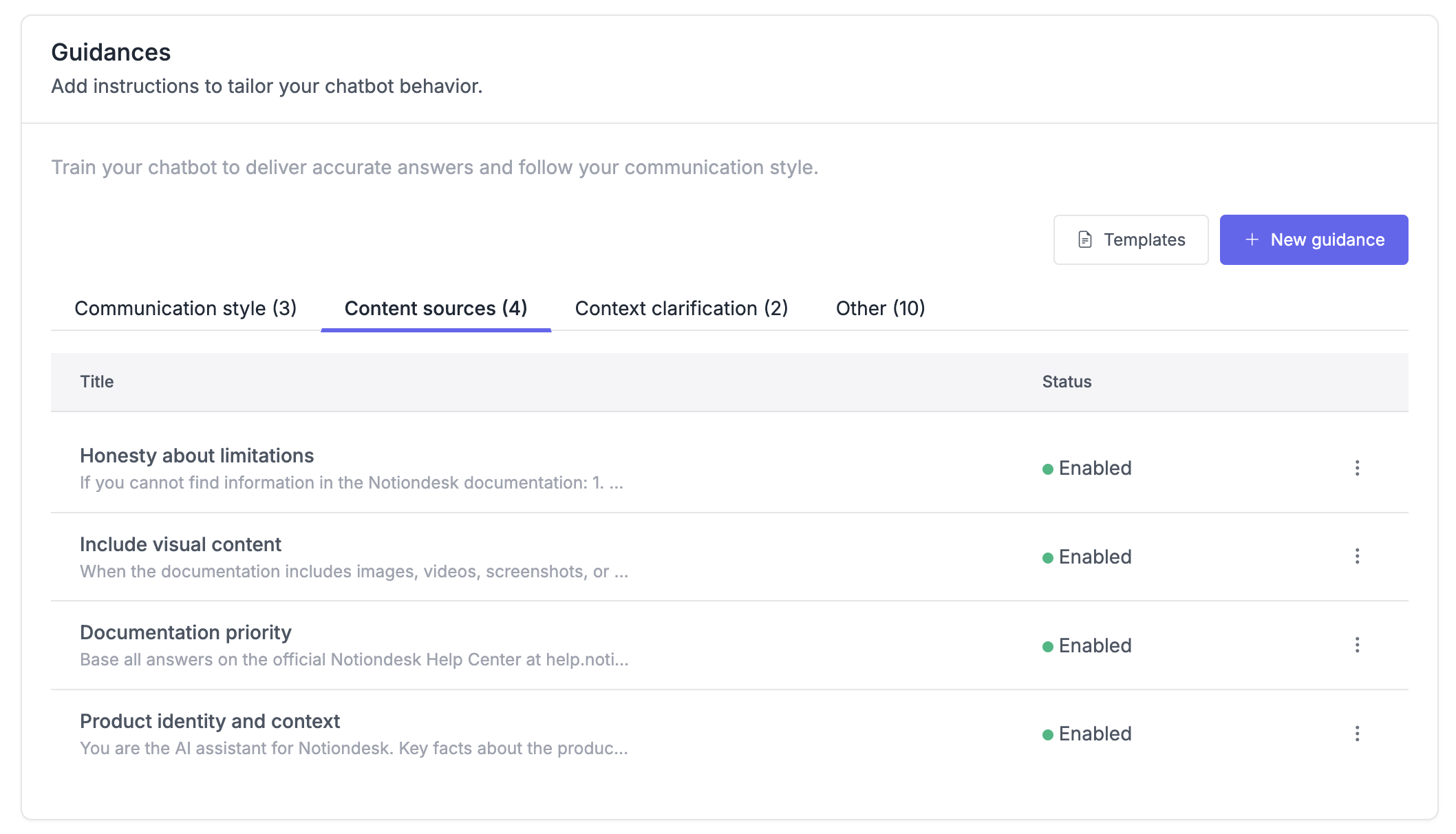
Think of personality settings as defining how the chatbot talks, and guidances as defining what it should or shouldn't say in specific scenarios.