Guidances are custom instructions that tell your AI Chatbot how to behave in specific situations. Write them in plain language, like training a new support agent and the chatbot applies them automatically when relevant.
While tone and answer length control overall communication style, guidances give you precise control over specific behaviors: what terminology to use, which questions to ask, what topics to avoid, and how to handle particular scenarios.
How guidances work
When a customer asks a question, the chatbot evaluates all your enabled guidances and applies any that are relevant. You don't need to set up triggers or conditions, the chatbot understands natural language and figures out when each guidance applies.
For example, if you add a guidance that says "Always ask which plan the customer is on before answering pricing questions," the chatbot will recognize pricing-related conversations and ask for that context first.

Use templates to get started
Templates give you a starting point for common guidance scenarios. Instead of writing from scratch, select a template and customize it to match your specific needs.
To browse templates, go to AI Chatbot → Settings and scroll to Guidances, click Templates. Templates are organized into four categories.
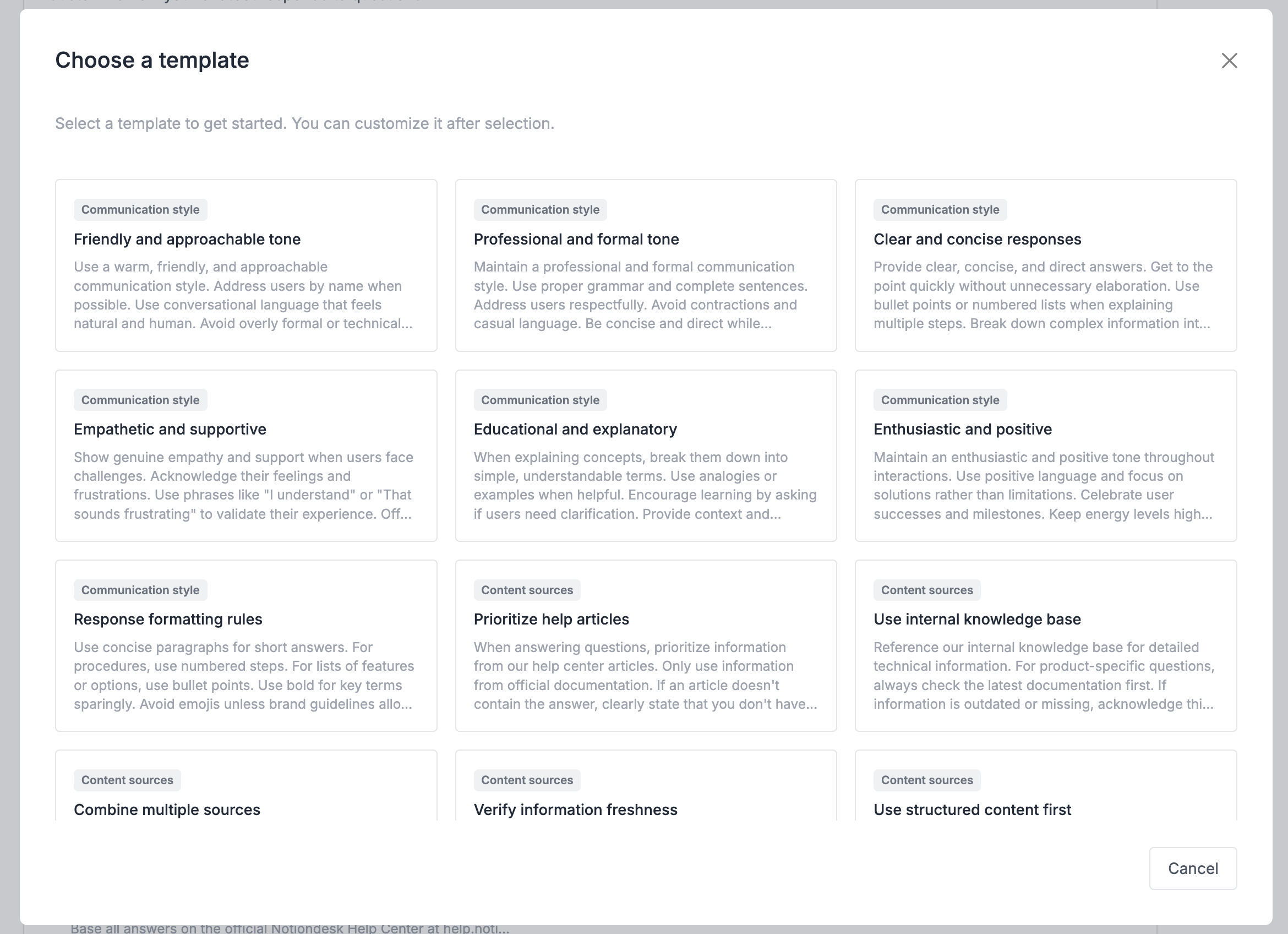
Communication style
Control how the chatbot speaks to customers. Templates in this category cover tone, formatting, and vocabulary.
| Template | Purpose |
|---|---|
| Friendly and approachable | Warm, conversational language |
| Professional and formal | Business-appropriate responses |
| Empathetic and supportive | Acknowledge frustrations, show understanding |
| Clear and concise | Direct answers without elaboration |
| Educational and explanatory | Break down concepts, use analogies |
| Enthusiastic and positive | Upbeat tone, celebrate successes |
| Response formatting rules | Control use of paragraphs, lists, bold text |
Content sources
Direct the chatbot to prioritize certain information when answering questions.
| Template | Purpose |
|---|---|
| Prioritize help articles | Use official documentation first |
| Use structured content first | Prefer FAQs and step-by-step guides |
| Combine multiple sources | Synthesize information from different articles |
| Limit to official sources only | Never reference external sites |
| Verify information freshness | Check publication dates before using content |
| Citations and links policy | Include article titles and links in answers |
Context clarification
Guide the chatbot to ask the right questions before answering.
| Template | Purpose |
|---|---|
| Clarifying questions first | Ask one question when intent is unclear |
| Product context and positioning | Frame answers around your product's purpose |
| Common user scenarios | Consider typical goals when responding |
| Company background and values | Align responses with company mission |
| User personas and needs | Tailor responses to different user types |
Other
Handle specific situations like errors, privacy, and follow-ups.
| Template | Purpose |
|---|---|
| Accuracy and uncertainty handling | State uncertainty rather than guessing |
| Privacy and data protection | Never ask for sensitive information |
| Error handling and recovery | Provide clear troubleshooting steps |
| Follow-up and engagement | Ask if users need clarification |
| Proactive suggestions | Recommend related features or resources |
| Encourage feedback voting | Prompt users to rate responses |
After selecting a template, review the text and edit it to match your product, terminology, and policies. Templates are starting points, customize them to fit your needs.
Create a guidance from scratch
If no template fits your use case, write your own guidance.
Go to AI Chatbot → Settings, scroll to Guidances, and click New guidance. Write your instruction in plain language, as if you're training a new team member.
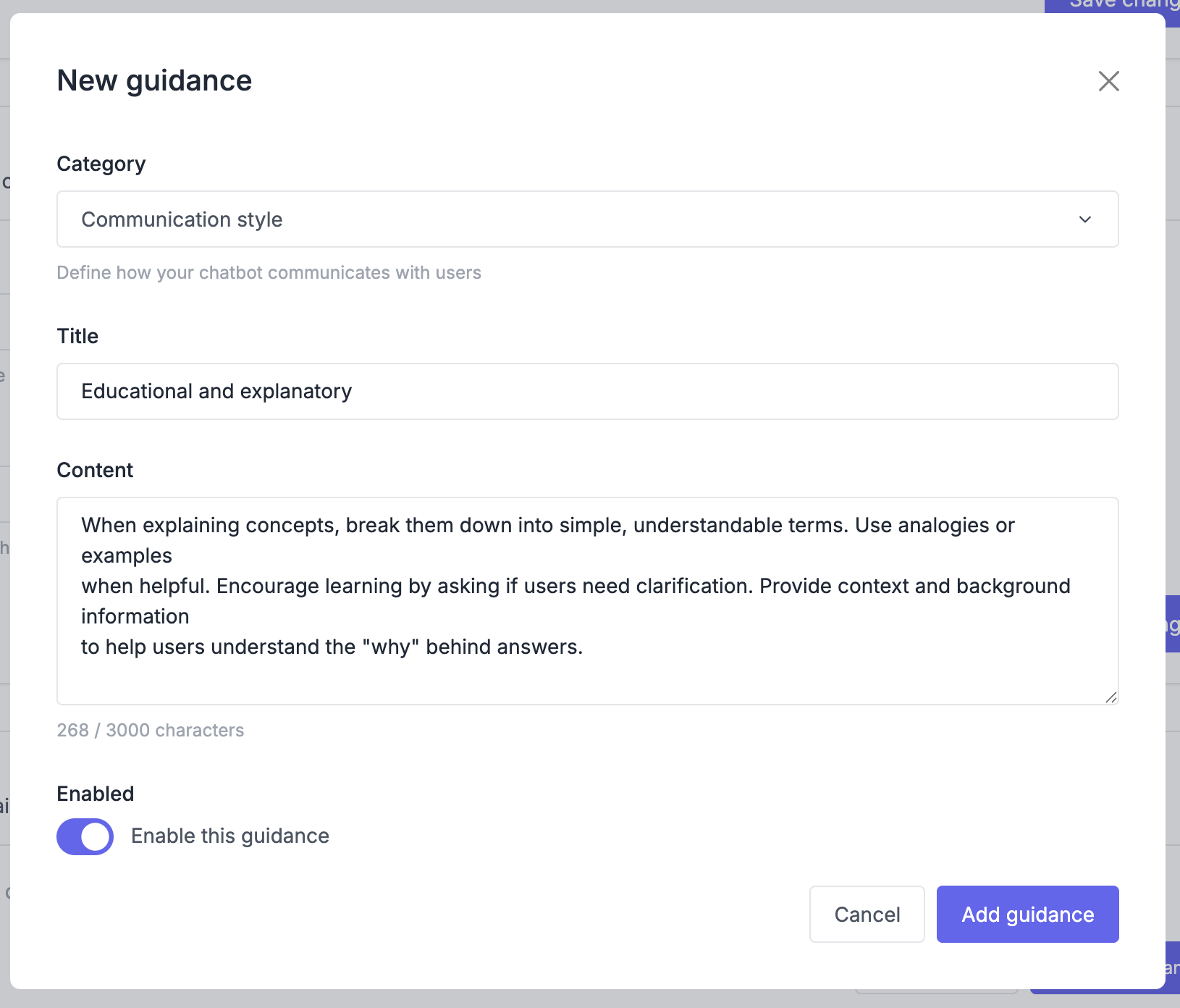
Here's an example:
If a customer asks about refunds, first ask which product they purchased and when. Our refund policy varies by product.
The chatbot will now ask clarifying questions before answering refund-related queries.
A few principles for writing effective guidances:
- Be specific: "If a customer asks about the search feature, first ask which product they're using, Starter, Pro, or Enterprise" works better than "Make sure the chatbot understands the product before answering"
- Speak directly: Write "Never suggest phone support" instead of "The AI should avoid recommending phone support."
- Keep it focused: Each guidance should address one behavior. If you're covering multiple scenarios, split them into separate guidances.
Manage your guidances
All your guidances appear in AI Chatbot → Settings under the Guidances section.
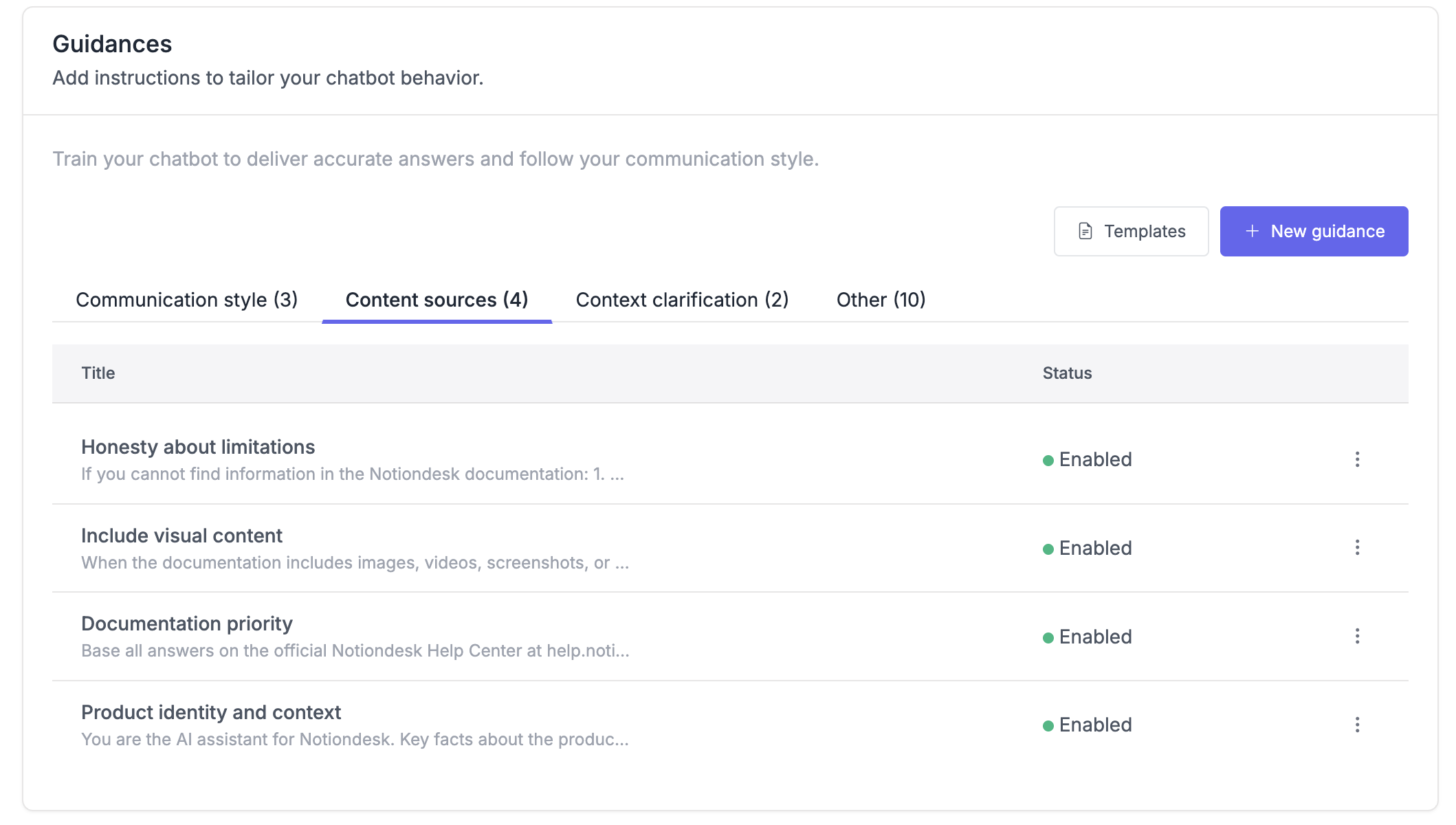
- Edit: Click on a guidance to modify its text. Changes apply immediately to new conversations.
- Delete: Remove guidances you no longer need. This action can't be undone.
Test your guidances
After adding or editing a guidance, verify it works as expected.
Open your help center and start a conversation with the chatbot. Ask questions that should trigger the guidance and check that the chatbot responds correctly.
For example, if you added a guidance about refund questions, ask "How do I get a refund?" and confirm the chatbot asks about the product and purchase date before answering.
If the chatbot doesn't follow the guidance:
- Check that the guidance is enabled
- Review the wording for ambiguity
- Make sure the guidance doesn't conflict with another one